
Free · No sign-up · Unlimited checks
Shopify Theme Detector
Wondering what theme a Shopify store is using? Paste the store link below and Theme Catch will instantly tell you the theme name, version, and where to get it. Perfect for finding design inspiration, analyzing competitor themes, and discovering successful store designs.
Why Theme Catch is the best free Shopify theme detector
Instant results
Get your answer in a couple of seconds. No waiting, no loading screens. Our Shopify theme detector analyzes store code in real-time.
Accurate matching
Results are checked against the full official Shopify theme catalog, including free and paid themes. Trusted by thousands of store owners.
Works on any store
Custom domains, myshopify.com links, renamed themes. If it runs on Shopify, our theme detector can identify it.
How the Shopify Theme Detector works
Three simple steps to detect any Shopify theme. No sign-up, no installation, no technical knowledge required.
01
Paste a store link
Copy the URL of any Shopify store you want to analyze and paste it into the Theme Catch detector box. Works with custom domains and myshopify.com links.
02
Click Detect Theme
Our Shopify theme detector analyzes the store's code instantly. It only takes a couple of seconds to identify the theme.
03
Get your answer
See the theme name, version, and get a direct link to the Shopify Theme Store. Discover if it's a free or paid theme and how to use it for your own store.
Perfect for Shopify store builders and entrepreneurs
Whether you're launching your first Shopify store or improving an existing one, knowing what themes work for others is a great place to start. Use Theme Catch to analyze competitor themes and find design inspiration.
Starting your own store
Found a Shopify store you love? Use our theme detector to discover its theme and use the same one as a starting point for your own store. Get instant access to the Shopify Theme Store.
Picking the right design
See which themes successful stores in your niche actually use before you commit to one. Make informed decisions about free vs. paid themes based on real-world examples.
Researching competitors
Quickly learn what your competitors are running and how polished their setup really is. Analyze competitor themes to stay ahead of design trends in your industry.
Getting inspired
Browse stores you admire, detect their themes with our free Shopify theme detector, and build a shortlist of ideas for your own shop. Draw inspiration from successful store designs.
Understanding Shopify Themes
A Shopify theme is a pre-designed template that controls the appearance, layout, and functionality of your online store. Themes determine how your products are displayed, how customers navigate your site, and ultimately impact your conversion rates and customer experience. The right theme can make a significant difference in your store's success.
Whether you're looking for a free Shopify theme from the official Shopify Theme Store or exploring premium options, Theme Catch helps you identify which themes successful stores are using. This allows you to make informed decisions about your own store's design and functionality.
Explore Some of the Best Shopify Themes of 2026
Whether you want to detect Shopify theme designs, use a Shopify theme finder, or simply find Shopify theme inspiration, these carefully selected examples are a useful starting point for store owners, designers, and entrepreneurs. Search variations such as “theme detector Shopify,” “theme Shopify detector,” “detect theme Shopify,” “theme checker Shopify,” and “theme finder Shopify” all lead to the same practical goal: understanding how a storefront is built.

Impact
A conversion-focused theme example for ambitious Shopify stores and growing product ranges.
View Theme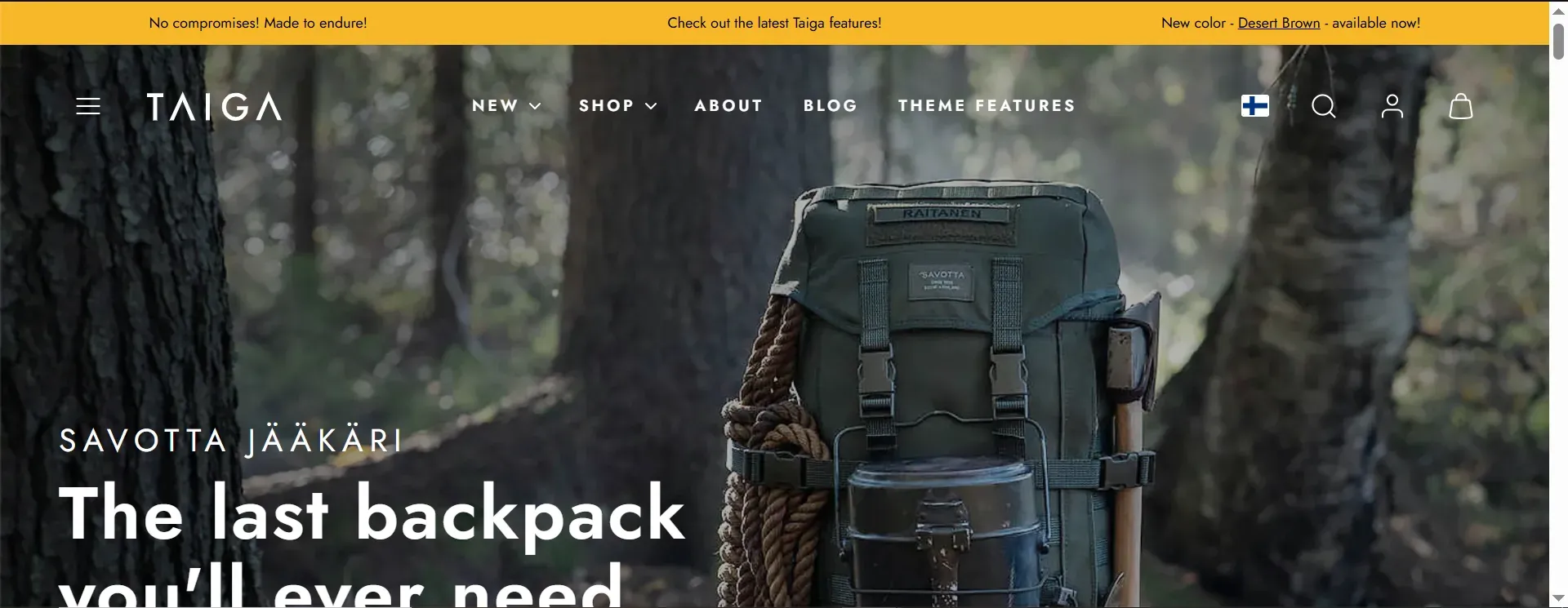
Taiga
A distinctive Shopify theme option to explore when researching memorable store designs.
View Theme
Studio
A flexible theme finder example for creative catalogs, collections, and visual storytelling.
View Theme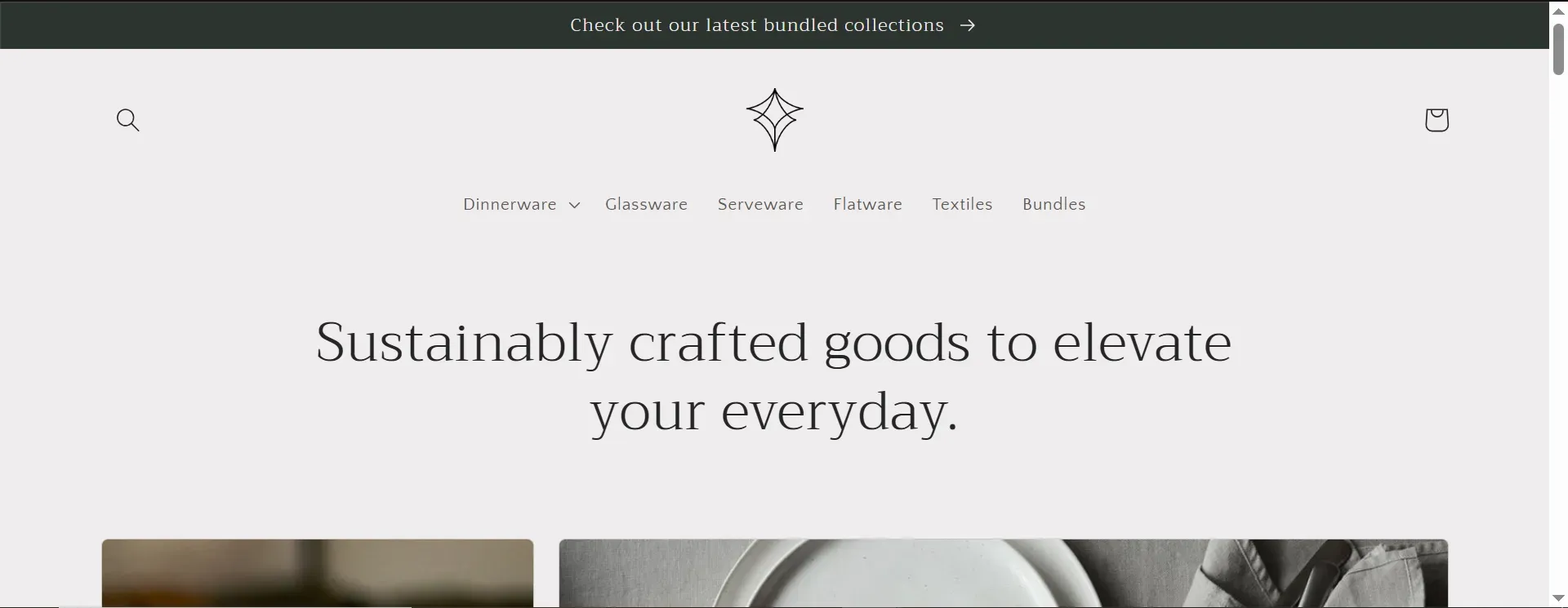
Craft
A clean Shopify theme checker reference for products that benefit from editorial presentation.
View ThemeTheme Catch helps you check Shopify theme details, use a Shopify theme checker, and find the right theme shopify examples without relying on guesswork. You can also use a Shopify theme spy, Shopify theme analyzer, or Shopify store theme detector to research how stores are built.
Find Shopify Theme Examples and Store Design Inspiration
If you are searching for a Shopify theme detector free tool, a Shopify theme detector online, or a Shopify detector that works with public stores, Theme Catch makes it easier to research designs and discover what theme Shopify stores are using.
Research competitors
Use a Shopify website theme detector to study stores you admire, find a Shopify theme, and understand the design patterns behind a successful storefront.
Compare store ideas
A Shopify template finder, theme search, and Shopify theme identifier can help you compare layouts before choosing a direction for your own catalog.
Save inspiration
Use the Shopify theme detector online to discover examples, explore a themefinder result, and visit the official theme page for more ideas.
From a Shopify website finder and Shopify theme detect search to theme file search, a Shopify theme finder extension, or the misspelled “Shopify theme dector,” these searches usually mean the same thing: identify the theme behind a store. Theme Catch is a Shopify theme detector tool for that research, whether you call it a shopify detector theme, theme tracker, theme searcher, detector de temas shopify, tema shopify descobrir, or simply ask how do you find theme, how do you find a theme, how do you find a theme, or what theme Shopify uses. For teams that prefer browser tools, a Shopify theme finder extension can complement this Shopify theme detector tool.
How to Choose the Right Shopify Theme for Your Store
To find out what Shopify theme a store is using, start with a Shopify theme detector and then compare speed, mobile usability, customization, and conversion features. A careful Shopify themes checker helps you choose a better foundation for your own store.
Prioritize speed
Use a theme checker, theme inspector, or Shopify theme scanner to evaluate clean code, image handling, and the scripts your store really needs.
Design for mobile
A strong theme finder result should still lead to a storefront that is easy to browse, search, and purchase from on smaller screens.
Match your niche
Use a theme identifier to identify Shopify theme patterns in similar stores, then choose layouts and features that suit your catalog and customer journey.
Whether you use a shopify theme.detector, Shopify themes checker, themes finder, check theme Shopify, themecheck, detector de tema shopify, theme check, or ask how do we find theme, the goal is to make an informed choice. A Google Shopify theme detector, Shopify theme and plugin detector or theme identifier can reveal useful clues, but you still need to identify Shopify theme details that fit your business. Searchers may also say “check theme Shopify,” “theme check Shopify,” or “theme checker Shopify” when comparing options. Learn how to find a theme and use a theme searcher before making your final decision.
Frequently asked questions
Everything you might want to know before you start.
Yes, completely free. No sign-up, no account, and no limit on how many stores you can check. Theme Catch is designed to be accessible to everyone.
You can check any store built on Shopify. If the website is not a Shopify store, the tool will let you know instead of guessing. This works for stores on custom domains, myshopify.com links, and renamed themes.
No. Everything runs right here in your browser. Just paste a store link and click Detect Theme. No downloads, no extensions required.
No. Checking a store is just like visiting it normally. The owner is never notified and nothing is changed on their site. Your checks are completely private.
A small number of stores are built in a fully custom way or are password-protected, so their theme information is not publicly visible. For the vast majority of stores, detection works instantly.
Absolutely. When we detect an official theme, you can find it in the Shopify Theme Store and use it for your own shop, free themes included. Both free and paid themes are available.
Yes, it is completely legal. Theme detectors read public source code and storefront assets that are visible to anyone visiting the store. We do not copy copyrighted images, proprietary code, or any protected content.
Yes, when available, Theme Catch displays the theme name and version number. This helps you understand exactly which version of a theme a store is using.
Yes, Theme Catch works seamlessly on mobile devices. Simply paste a Shopify store URL into the search box and tap "Detect Theme" to get instant results.
Theme Catch specializes in theme detection. While we focus on identifying the theme, many successful stores use additional apps and extensions to enhance functionality.
Once you find a theme you like, you can visit the Shopify Theme Store to learn more about it, read reviews, and purchase or install it for your own store. Use it as inspiration and customize it to match your brand.
Theme Catch analyzes a store's code against the full official Shopify theme catalog (both free and paid themes). Our detection method is checked against thousands of stores to maintain high accuracy rates.
How to Manually Detect a Shopify Theme
While Theme Catch makes it easy to detect themes instantly, you can also manually check a store's theme using your browser's developer tools. Here's how:
Using Inspect Element
- Right-click on the store page and select "Inspect" (or press Ctrl+Shift+I on Windows, Cmd+Option+I on Mac)
- Press Ctrl+F (or Cmd+F on Mac) to search
- Search for "Shopify.theme"
- Look for the theme name in the JSON object that appears
Using View Page Source
- Right-click on the store page and select "View Page Source" (or press Ctrl+U)
- Press Ctrl+F to search for "theme.scss" or "theme.css"
- Look for file paths containing the theme name